



Zum Hauptinhalt springen

VPS-Hosting

Cloud-VPS-Leistung zum kleinen Preis

Sechs KVM-Stufen mit vollem Root-Zugriff, dedizierter IPv4 und DDoS-Schutz — wahlweise mit Debian, CentOS oder Ubuntu. Sie entscheiden.

$9.99/mo

Economy, jährliche Abrechnung

Voller Root

In jedem Tarif

1 IPv4

Dedizierte Adresse

<60 Sek.

Bereitstellungszeit

Tarife

Günstige KVM-VPS-Tarife

Vom ersten eigenen Server bis zur echten Rechenpower — jede Stufe mit vollem Root-Zugriff und dedizierter IP.

Economy

Your first server

$9.99/mo

renews at the same price · billed annually

Storage
30 GB
RAM
2 GB
Bandwidth
125 GB
IPv4
1 dedicated
  • Full root access
  • KVM virtualisation
  • DDoS protection
  • Choice of Debian, CentOS, Ubuntu
  • No setup fee
  • 24/7 human support
Jetzt bereitstellen
Most Popular

Basic

Small apps & sites

$19.99/mo

renews at the same price · billed annually

Storage
40 GB
RAM
3 GB
Bandwidth
200 GB
IPv4
1 dedicated
  • Full root access
  • KVM virtualisation
  • DDoS protection
  • Choice of Debian, CentOS, Ubuntu
  • No setup fee
  • 24/7 human support
Jetzt bereitstellen

Entry

Production workloads

$29.99/mo

renews at the same price · billed annually

Storage
50 GB
RAM
4 GB
Bandwidth
300 GB
IPv4
1 dedicated
  • Full root access
  • KVM virtualisation
  • DDoS protection
  • Choice of Debian, CentOS, Ubuntu
  • No setup fee
  • 24/7 human support
Jetzt bereitstellen

Standard

Busy sites & stores

$43.99/mo

renews at the same price · billed annually

Storage
80 GB
RAM
5 GB
Bandwidth
400 GB
IPv4
1 dedicated
  • Full root access
  • KVM virtualisation
  • DDoS protection
  • Choice of Debian, CentOS, Ubuntu
  • No setup fee
  • 24/7 human support
Jetzt bereitstellen

Ultra

Heavy traffic, heavy apps

$55.99/mo

renews at the same price · billed annually

Storage
120 GB
RAM
6 GB
Bandwidth
600 GB
IPv4
1 dedicated
  • Full root access
  • KVM virtualisation
  • DDoS protection
  • Choice of Debian, CentOS, Ubuntu
  • No setup fee
  • 24/7 human support
Jetzt bereitstellen

Ultimate

Maximum VPS muscle

$65.99/mo

renews at the same price · billed annually

Storage
250 GB
RAM
7 GB
Bandwidth
1 TB
IPv4
1 dedicated
  • Full root access
  • KVM virtualisation
  • DDoS protection
  • Choice of Debian, CentOS, Ubuntu
  • No setup fee
  • 24/7 human support
Jetzt bereitstellen
VPS cloud server hosting infrastructure

Kontrolle

Voller Root-Zugriff, Ihre Regeln

Ein VPS ist Ihr eigener Teil eines Servers. Mit vollem Root-Zugriff installieren und konfigurieren Sie alles, was Sie brauchen — Webstacks, Datenbanken, Gameserver oder eigene Anwendungen — genau so, wie Sie es möchten.

  • Vollständige Root-Kontrolle
  • Jede Linux-Distribution Ihrer Wahl
  • Beliebige Software-Stacks installieren
  • Per SSH einloggen und loslegen

Warum unser VPS

Dedizierte Ressourcen, richtig umgesetzt

KVM-VPS-Serverhardware mit dedizierten CPU- und RAM-Ressourcen

Voller Root-Zugriff

Installieren und konfigurieren Sie alles nach Belieben — es ist Ihr Server, mit vollständiger Root-Kontrolle.

KVM-Virtualisierung

Echte Hardware-Virtualisierung mit garantierten, dedizierten Ressourcen — ohne störende Nachbarn.

DDoS-Schutz

DDoS-Abwehr auf Netzwerkebene hält Ihren VPS auch während eines Angriffs online.

Dedizierte IPv4

Jeder VPS kommt mit einer eigenen dedizierten IPv4-Adresse — für saubere Reputation und SSL.

In Sekunden startklar

Starten Sie Ihren Server in weniger als einer Minute mit Debian, CentOS oder Ubuntu.

NVMe-Speicher

Schneller NVMe-Speicher hält Datenbanken und Anwendungen auch unter Last flott.

Ausstattung

Alle sechs VPS-Tarife im Vergleich

Wechseln Sie mit wenigen Klicks eine Stufe höher, sobald Sie wachsen.

Vergleich von Ausstattung und Preisen der VPS-Tarife
Vergleich der VPS-Spezifikationen
FeatureEconomyBasicEntryStandardUltraUltimate
Speicherplatz30 GB40 GB50 GB80 GB120 GB250 GB
RAM2 GB3 GB4 GB5 GB6 GB7 GB
Bandbreite125 GB200 GB300 GB400 GB600 GB1 TB
Dedizierte IPv4
Voller Root-Zugriff
DDoS-Schutz
NVMe SSD storage for fast website loading speed

Performance

KVM + NVMe für gleichbleibendes Tempo

Anders als günstige Container liefert unsere KVM-Virtualisierung garantierte CPU- und RAM-Ressourcen. Zusammen mit NVMe-Speicher und einem schnellen Netzwerk läuft Ihr VPS zur Spitzenzeit genauso schnell wie um 3 Uhr nachts.

  • Garantierte dedizierte Ressourcen
  • Speicher auf NVMe-Basis
  • 1 Gbit/s Netzwerk-Uplink
  • Kein Overselling von CPU/RAM

Ideal für

Was Kunden auf unserem VPS betreiben

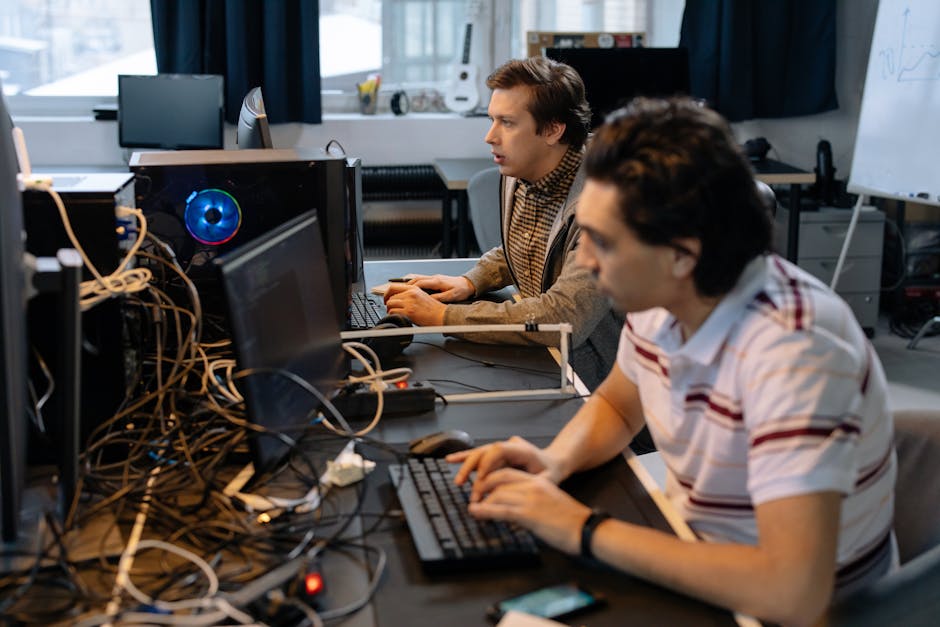
Entwickler stellt eine App im Terminal auf einem Cloud-VPS bereit

Entwicklung & Staging

Kurzlebige Umgebungen mit vollem Root-Zugriff und der Linux-Distribution Ihrer Wahl.

Agenturen

Isolierte Ressourcen unter Ihrer Kontrolle für jedes Kundenprojekt — ohne Nachbarn wie im Shared Hosting.

WordPress mit viel Traffic

Dedizierter RAM und eine dedizierte IP halten umfangreiche WooCommerce- und Content-Seiten schnell.

So funktioniert es

In Minuten von der Bestellung zum Livebetrieb

Ablauf von Bereitstellung und Einrichtung eines VPS-Servers
1

VPS-Stufe wählen

Wählen Sie aus sechs KVM-Tarifen nach RAM, Speicherplatz und Bandbreite — später jederzeit anpassbar.

2

Betriebssystem auswählen

Starten Sie Debian, CentOS oder Ubuntu in weniger als einer Minute — mit vollem Root-Zugriff von Anfang an.

3

Alles bauen, was Sie wollen

Installieren Sie Ihren Stack, hosten Sie mehrere Websites, betreiben Sie Apps oder Gameserver — der Server gehört ganz Ihnen.

Inklusive

In jedem VPS enthalten

  • Voller Root-Zugriff
  • KVM-Virtualisierung
  • Dedizierte IPv4-Adresse
  • Speicher auf NVMe-Basis
  • DDoS-Schutz
  • Auswahl aus Debian, CentOS, Ubuntu
  • SSH, SFTP und phpMyAdmin
  • Cronjobs und Remote-MySQL
  • Keine Einrichtungsgebühr
  • 24/7 Support durch echte Menschen
Scalable hosting for growing websites

Wachstum ohne Grenzen

Skalieren, wenn Ihr Projekt abhebt

Starten Sie klein und skalieren Sie genau dann, wenn Sie es brauchen. Beim Wechsel zwischen den VPS-Stufen bleiben Ihre Daten und Ihre Konfiguration erhalten — nur die Ressourcen ändern sich, ganz ohne Neuinstallation.

  • Mit wenigen Klicks eine Stufe höher
  • Ihre Daten bleiben vollständig erhalten
  • Keine Migration nötig
  • Sie zahlen nur, was Sie nutzen

FAQ

Fragen zum VPS-Hosting

Do I get root access?

Yes — every VPS comes with full root access, so it's genuinely your server rather than a locked-down slice of one. You can install any software your project needs, choose your own web server, database and runtime versions, open ports, set up custom firewall rules and cron jobs, and configure the whole environment exactly the way you want. That's the core advantage of a VPS over shared hosting: you're not limited to what a shared control panel exposes. Your resources — CPU, RAM and NVMe storage — are dedicated to your instance, so a busy neighbour can't slow you down. With that control comes responsibility for what you install and how you secure it, but if you'd like the convenience of a graphical interface you're free to install a control panel such as a free option or cPanel on top, giving you point-and-click management while keeping full command-line power underneath.

Are these managed or unmanaged?

Our VPS plans are self-managed by default, which is deliberate — it's what keeps them fast and affordable, and it gives experienced users complete freedom over the stack. You handle the operating system and the software you run on it: updates, security hardening, and your application configuration. What we take care of is everything beneath that line — the virtualisation platform, the physical hardware, and the network — all monitored and supported 24/7, so you never have to worry about a failing disk or a flaky connection. Our team can also help with common configuration questions and point you to the right approach, even though deep application support isn't part of an unmanaged plan. If you'd prefer not to manage the server yourself, installing a control panel automates most routine administration, and for fully hands-off hosting our shared and business plans may be the better fit.

Can I resize my VPS as I grow?

Yes — one of the biggest advantages of a VPS is how easily it scales, so you can start small and grow into more power only when you actually need it. Moving up a tier takes just a couple of clicks: your data, operating system and configuration stay completely intact, and only the underlying resources — CPU, RAM and storage — increase. There's no need to rebuild your server or migrate anything by hand, and downtime is minimal. That means you can size your plan to today's traffic rather than over-provisioning for a spike that might come later, then upgrade the moment your usage justifies it, keeping your costs closely matched to your real needs. It works the other way too: if a temporary campaign winds down, you can adjust back. If you ever outgrow the largest VPS, a dedicated server is the natural next step, and our team can advise on the move.

Starten Sie Ihren Server noch heute.

Voller Root-Zugriff, dedizierte Ressourcen und echte Menschen im Support, wenn Sie Hilfe brauchen.

VPS-Tarife entdecken

The Full Picture

A VPS earns its keep the moment a project outgrows a shared control panel: a launch that spikes traffic, a custom stack that needs a specific runtime, or a client site that simply can't share a neighbour's resource ceiling anymore. Hosting Cheap's KVM plans exist for exactly that jump, giving you dedicated CPU and RAM without the jump straight to a full dedicated box.

Beyond the raw specs, what actually matters day to day is how the server is looked after: how migrations happen, what's backed up, who answers when something breaks, and whether you're locked into a single way of managing the box. This page covers those parts of the picture — the support, safety nets and setup choices that sit around the plans themselves.

Deep Dives

The details behind the promises

Shared hosting vs VPS: when to make the jump

Most projects start on shared or managed hosting, and for good reason — web hosting from $2.42/mo and managed WordPress from $4.19/mo cover the majority of small sites comfortably. The signals that you've outgrown that tier are usually specific: you need a PHP or Node version the shared panel doesn't offer, a database engine outside the standard stack, or consistent performance during traffic spikes that shared resources can't guarantee.

That's the gap a VPS from $9.99/mo fills. Rather than sharing a pool of CPU cycles with other accounts on the same box, KVM virtualisation reserves your resources so a busy neighbour never slows your server down. And if a project eventually outgrows even a top VPS tier, dedicated servers from $149.99/mo are the next step up, so there's a clear path rather than a cliff edge.

Migrating to your new VPS without downtime

Rebuilding a working server from scratch is the main reason people put off moving to a VPS. Our team handles the free managed migration instead — copying sites, databases and mailboxes from your current host or server onto the new VPS, so you're not manually re-uploading files or re-entering database credentials.

The move is staged so your current setup keeps running while the copy happens in the background. Once everything checks out on the new VPS, DNS is pointed across and the old environment stays available briefly as a fallback, which keeps the cutover close to zero downtime rather than an overnight outage.

Locking down your VPS: SSL, backups and support

Root access means the security of the box is largely in your hands, but you're not left to figure it out with no backstop. Every domain you point at a Hosting Cheap VPS is eligible for a free auto-renewing SSL certificate, and daily backups run in the background so a bad deploy or a corrupted database table is a restore, not a rebuild.

If you're not sure whether a VPS is the right fit before committing, the 30-day money-back guarantee applies here too. And when something on the server genuinely stumps you — a firewall rule, a service that won't start — 24/7 human support is there via ticket and live chat, not just a knowledge base.

Control panel options: command line or point-and-click

Full root access means you're free to run everything over SSH with no panel at all, which is exactly how many developers and sysadmins prefer it — nothing between them and the server. If that's your workflow, nothing on a Hosting Cheap VPS forces a GUI on you.

If you'd rather manage sites, databases and email through a browser, an optional cPanel-style panel with 1-click installers can be added to any VPS tier. It's not mandatory and can be added after the server is already running, so you can start on the command line and switch to a panel later if the project grows a team around it.

24/7 human web hosting support team

Support and safety nets, not just servers

A VPS hands you the keys to the whole machine, but that shouldn't mean you're on your own when something goes wrong. Daily backups, a free migration when you first move over, and 24/7 human support are built around every plan, not sold as add-ons bolted on afterwards.

It's a different posture from budget VPS providers who treat unmanaged as a synonym for unsupported. Root access stays entirely yours — we're simply making sure a bad night doesn't turn into a lost project or a support queue that never answers.

  • 24/7 human support, real people answering
  • Daily backups running in the background
  • Free managed migration to your new VPS
  • 30-day money-back guarantee on every tier

More Reasons

Built to help you grow

Free auto-renewing SSL

Certificates renew automatically on domains you point at your VPS, so encryption never quietly lapses.

Daily backups

A daily backup cycle means a bad update or accidental deletion is a restore, not a rebuild from zero.

Free managed migration

Our team copies your existing sites, databases and mailboxes onto the new VPS at no charge.

30-day money-back guarantee

Try the VPS for a full month, and get a refund if it isn't the right fit for your project.

Geo-currency pricing

Checkout shows plan pricing in your local currency, so there's no guesswork converting from USD.

Optional control panel

Add a cPanel-style panel with 1-click installers whenever you want a GUI instead of pure SSH.

Getting Started

How to get going

1

Tell us what to migrate

Share your current host details and our team copies sites, databases and mailboxes across free of charge.

2

Secure and back it up

Confirm SSL is issued on your domains and that the daily backup schedule is running before you cut over.

3

Reach a human anytime

Contact 24/7 support by ticket or live chat whenever a configuration question comes up down the line.

Good To Know

What's covered

  • Free auto-renewing SSL certificate on domains you host
  • Daily backups running automatically in the background
  • Free managed migration from your current host or server
  • 30-day money-back guarantee on every VPS tier
  • 24/7 human support by ticket and live chat
  • Optional cPanel-style panel with 1-click installers
  • Geo-currency pricing shown at checkout

More FAQ

More questions, answered

Is there a free trial or refund if the VPS isn't the right fit?

There's no separate free trial, but every VPS plan carries a 30-day money-back guarantee, so you can run your actual workload on it and request a refund within that window if it doesn't work out. It's a lower-risk way to test a root-access server than committing without any safety net.

Can you migrate my existing server or hosting account to a new VPS?

Yes — free managed migration is available, and our team handles copying your sites, databases and mailboxes across rather than leaving you to export and re-upload everything manually. The old environment is generally kept running until the new VPS is verified, which keeps the switch close to zero downtime.

Do I need to set up SSL myself on a VPS?

Domains hosted on your VPS are eligible for a free auto-renewing SSL certificate, which removes the recurring job of manually reissuing certificates. If you're running everything over raw SSH with no panel, you retain full control over exactly how and where certificates are installed.

How are backups handled since I have full root access?

Daily backups run in the background regardless of what you've installed, giving you a restore point without needing to script one yourself. Because you have root access, you're also free to run your own backup jobs on top of that for anything with tighter recovery requirements.

Will VPS pricing be shown in my own currency?

Plans are priced in USD, but the checkout and pricing pages use geo-currency display to show the equivalent cost in your local currency automatically. That means no manual conversion is needed to see what a plan actually costs where you are.

Who is the company operating Hosting Cheap's VPS service?

Hosting Cheap is operated by Bohzo Ltd, a UK-registered company, which is the legal entity behind billing and support for the VPS plans. That's worth knowing if you need it for invoicing, compliance or simply confirming who you're doing business with.