


本文へスキップ

専用クラウド

ベアメタル 1 台を、まるごとあなたに

root 権限と 100 TB の転送量を備えたシングルテナント型の専用クラウドサーバー。初期費用なしで、構築も移行もサポートも人が対応します。

$149.99

ベアメタル 月額

100%

シングルテナント構成

100 TB

転送量込み

$0

初期費用は常にゼロ

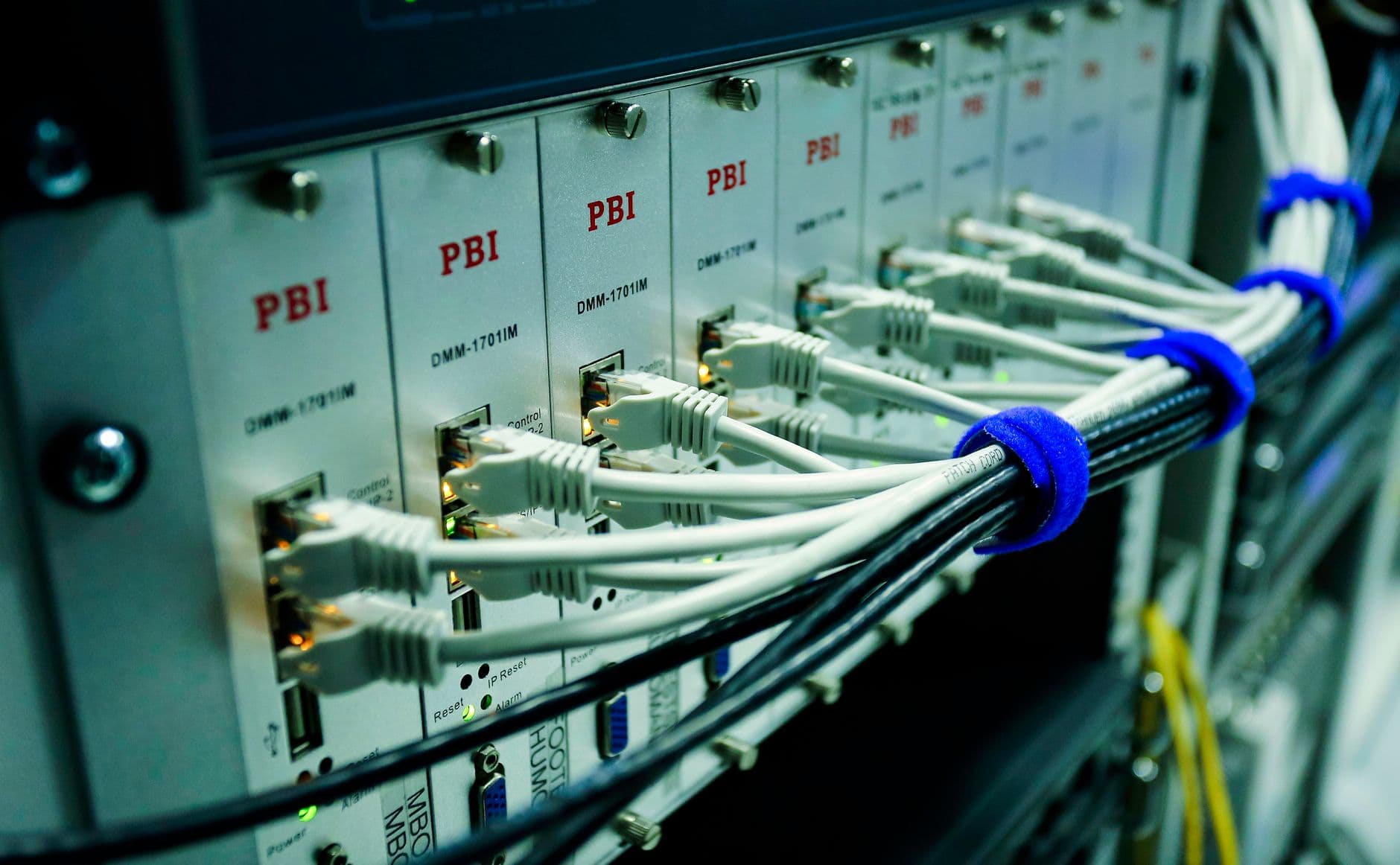
Dedicated server hardware in a rack

専有の力

すべてのコア、すべてのメモリを独占

共用サーバーや仮想サーバーは、1 台のマシンを多数の利用者で分け合います。専用クラウドサーバーはその逆で、筐体まるごとがお客様のものです。すべてのコア、すべてのメモリ、すべてのディスク処理がお客様の処理のためだけに確保されます。

つまり、計画を立てられる性能が手に入ります。隣人の負荷急増による速度制限も、過剰販売されたハードウェアもありません。ご注文いただいたサーバーの実測どおりの能力を、そのまま使えます。

  • CPU もメモリも共有なし
  • 予測できる安定した性能
  • 他テナントからの物理的な分離
  • 取り合いの必要がないリソース

ベアメタルを選ぶ理由

生のハードウェアを、完全に掌握

データセンターのラックに設置されたベアメタル専用サーバー

シングルテナント構成

マシン全体がお客様のもの。CPU の共有も、うるさい隣人も、支払ったリソースの奪い合いもありません。

完全な root 権限

初日から root 権限を。好きな構成を導入し、カーネルを調整し、上から下まですべての層を自分のものにできます。

100 TB の転送量

メーターを気にせず配信できます。転送量は込みなので、アクセスの多い月が想定外の請求になることはありません。

サーバー用 CPU

Intel Xeon のコアと実スレッド、専有のクロックが、重いデータベースやレンダリング処理を止めません。

NVMe または大容量ディスク

低遅延な処理には高速な NVMe、すべてを保存する容量が必要なら大容量ディスク 2 台を選べます。

隔離されて安全

物理的に分離されているため、性能が予測でき、完全に自分で管理できる明確なセキュリティ境界が得られます。

Global web hosting data center network

root 権限と転送量

完全な root 権限と 100 TB のトラフィック

root による完全な制御が可能です。任意の OS を導入し、独自カーネルをビルドし、コンテナを動かし、あらゆるサービスを思いどおりに設定できます。このマシンに立ち入り禁止の領域はありません。

転送量は月あたり 100 TB まで。アクセスの急増や大規模なバックアップが超過料金の項目になることはありません。上り回線が許す限り配信しても、請求額は一定のままです。

  • 最初のログインから root 権限
  • 必要な OS、カーネル、構成を自由に
  • 100 TB の転送量込み
  • 専用 IPv4 アドレス 1 個

プラン

専用クラウドサーバーの料金

root 権限、100 TB の転送量、初期費用なしの Xeon マシン 1 台。構成は用途に合わせて調整できます。

Xeon E-2274G

A whole machine to yourself

$149.99/mo

renews at the same price · billed annually

CPU
Xeon E-2274G · 4c/8t
RAM
32 GB
Storage
2×4 TB HDD or 2×960 GB NVMe
Bandwidth
100 TB/mo @ 500 Mbps
  • Full root access
  • Hestia control panel included
  • AlmaLinux 9 (other distros on request)
  • 1 dedicated IPv4
  • Free migration from shared hosting
  • No setup fee
サーバーを構成する

こんな用途に

マシン 1 台まるごとが必要な処理

専用クラウドサーバー上で稼働する企業向けデータベース

大規模データベース

Postgres、MySQL、自社運用のデータウェアハウスに、マシン 1 台分のメモリと I/O をすべて割り当てられます。

企業システム

他の誰も触れないハードウェア上で、コンプライアンス要件の高いアプリを、全設定に対する root 権限とともに運用できます。

大規模アクセスの基盤

多忙なネットショップ、SaaS、API を、専有コアと 100 TB の転送量の余裕で支えます。

Free website migration between hosting providers

無料移行

お引っ越しは、こちらの負担で

ベアメタルへの移行が何日もの手作業を意味する必要はありません。当社チームがサイト、データベース、メール、設定の移行を代行し、アクセスの少ない時間帯に合わせて実施するため、訪問者はほとんど気づきません。

すべてを新サーバー上で準備して動作を検証し、コピーが正しいことをご確認いただいてから切り替えます。囲い込みも移行手数料もありません。

  • 共用サーバーからの移行が無料
  • サイト・データベース・メールを含む
  • ダウンタイムの時間帯に合わせて実施
  • 切り替え前に動作を検証

手順

お申し込みから公開まで 3 ステップ

ベアメタル専用サーバーを構築する技術者
1

ベアメタル構成を選ぶ

処理内容に合わせた Xeon 構成から始めます。コア数、メモリ、ディスク構成を用途に合わせて調整できます。

2

構築と設置は当社が対応

サーバーをラックに設置し、AlmaLinux 9 と Hestia パネルを導入して、すぐ使える状態でお渡しします。

3

移行して公開

無料の移行サポートでサイトとデータを移したら、root 権限を握って自由に構築を進めてください。

標準装備

すべての専用サーバーに付属

  • 完全な root アクセス
  • シングルテナントのベアメタル機器
  • 100 TB の転送量
  • 専用 IPv4 アドレス
  • Hestia コントロールパネル付属
  • AlmaLinux 9(他のディストリも対応)
  • 共用サーバーからの移行が無料
  • 初期費用なし
  • NVMe と大容量ディスクから選択
  • 24/7 有人サポート
NVMe SSD storage for fast website loading speed

性能

サーバー品質の速さを、安定して

ハードウェアを共有しないため、需要が高まっても処理性能が落ちません。Xeon のコアと NVMe ストレージが、データベース、レンダリング、分析処理に、隣人を待つことなく全力で走れる余裕を与えます。

マシンの一部を借りるのと、マシンを所有するのとの違いです。初日に計測した数値が、そのまま維持されます。

  • Intel Xeon のコアを専有
  • NVMe による低遅延ストレージ
  • CPU もメモリも過剰販売なし
  • ピーク時も深夜 3 時も同じ性能

サポート

自己管理でも、ひとりではありません

専用サーバーの稼働状況を監視するデータセンターの技術者

ネットワークと機器はお任せ

ラック、上位回線、ドライブは当社の管轄です。物理的な障害が起きれば、技術者が 24 時間体制で対応します。

24/7 有人サポート

チャットとチケットで、いつでも本物の担当者が対応します。回答までの間に台本どおりのボットが挟まることはありません。

パネルはインストール済み

無料の Hestia コントロールパネルがすぐ使える状態で入っているため、コマンドラインに触れずにサイトやユーザーを管理できます。

よくある質問

専用サーバーに関するご質問

Is the server managed or unmanaged?

It's self-managed with full root access, which is what keeps a dedicated server this affordable and gives you total control over the software stack. You decide what's installed, how it's configured and when it's updated. To take the pain out of that, every server ships with the free Hestia control panel pre-installed, so you get a clean web interface for websites, email, DNS and databases from the first boot rather than starting at a bare command line. Our team's responsibility is the foundation underneath your operating system: the physical hardware, the network, power and connectivity, and platform-level issues, all monitored and supported 24/7. Day-to-day operating-system administration — securing your apps, managing users, tuning services — is yours, though our support will still help with common tasks and point you in the right direction. If you'd rather not manage the OS at all, a control panel like cPanel automates most of it.

Which operating systems can I run?

AlmaLinux 9 is the default, and it's an excellent choice for most workloads: it's a stable, free, enterprise-grade Linux that's binary-compatible with Red Hat Enterprise Linux, so software and documentation written for RHEL or CentOS works without modification. If you prefer something else, other major Linux distributions — such as Ubuntu LTS, Debian or Rocky Linux — are available on request, and because you have full root access you can configure the OS however your applications need. On the control-panel side, the free Hestia panel comes pre-installed, but you can run the server panel-free if you like managing services directly, or add cPanel with its own licence if that's the environment you and your clients know best. Tell us your preferred OS and panel when you order and we'll hand the server over ready to go, so you're not reinstalling from scratch on day one.

How long does provisioning take?

Dedicated servers are typically provisioned and handed over within 24 hours of payment clearing — often sooner — rather than the instant setup you'd get with shared hosting, because real hardware is being prepared for you specifically. When we hand it over it's not a blank box: it arrives fully installed with your chosen operating system and control panel, network-configured and ready to accept your first login, so you can get straight to deploying rather than waiting on installs. If you have particular requirements — a specific OS, partition layout or panel — telling us at the point of order lets us build it that way from the start. Should anything about the initial build not match what you asked for, our team sorts it out as part of onboarding. From there, hardware, network and platform support continue around the clock for the life of the server.

自分だけのサーバーを手に入れる。

専有の性能、完全な root 権限、100 TB の転送量。移行は無料で、初期費用もかかりません。

サーバーを構成する

The Full Picture

A dedicated cloud server from Hosting Cheap is more than a rented machine — it is a fully provisioned environment backed by daily backups, a free auto-renewing SSL certificate and a 30-day money-back guarantee, so the safety net around the hardware is as solid as the hardware itself.

Whether you are consolidating several VPS instances onto one Xeon box or moving a high-traffic store off shared hosting, the same LiteSpeed-accelerated stack, cPanel-style panel and 24/7 human support team follow you onto bare metal.

Deep Dives

The details behind the promises

Data Protection That Comes Standard

Every dedicated server ships with daily backups running in the background, so a bad deploy, a corrupted table or an accidental deletion is a restore away rather than a rebuild from scratch. Backups run independently of whatever backup routine you set up inside your own applications, giving you a second layer of protection at the infrastructure level.

SSL is handled the same way: certificates are issued free and renew automatically, so HTTPS never lapses because a renewal task was missed during a busy quarter. Combined with the 30-day money-back guarantee, you can move production traffic onto the server and confirm it performs the way you expect before the decision is final.

Dedicated vs. VPS: Choosing the Right Tier

Not every workload needs a full bare-metal box on day one. Hosting Cheap's VPS plans start from $9.99/mo and share the same LiteSpeed stack and control panel, making them a natural stepping stone while traffic and resource needs are still growing.

The jump to dedicated cloud makes sense once you are consistently maxing out a VPS's cores or RAM, need guaranteed I/O for a database, or want physical isolation for compliance reasons. Because migration between our own tiers is handled by our team, moving from VPS to dedicated later does not mean starting the setup process over.

The Software Stack Under the Hood

Alongside root access and your choice of Linux distribution, every dedicated server runs on NVMe SSD storage paired with LiteSpeed, which serves PHP and static assets noticeably faster than stock Apache under concurrent load — useful headroom when a single box is carrying traffic that used to be spread across several servers.

The included panel keeps day-to-day administration approachable even with full root underneath it: create accounts, manage DNS zones and reach for 1-click installers for WordPress, WooCommerce and other common apps without dropping to the command line for routine tasks.

Billing, Currency and Who You're Buying From

Pricing throughout Hosting Cheap — from web hosting at $2.42/mo and managed WordPress at $4.19/mo up to dedicated servers at $149.99/mo — is quoted in USD and displayed in your local currency automatically via geo-currency detection, so the number you see at checkout matches what you expect to pay.

Hosting Cheap is operated by Bohzo Ltd, a UK-registered company, which is the legal entity you contract with and see on invoices and receipts regardless of which country your server or your business is based in.

Daily automatic website backups

Backups and a 30-Day Safety Net

A dedicated server is a bigger commitment than a shared plan, which is why the same daily backup routine and 30-day money-back guarantee apply here too. If the hardware, the network or the support experience does not match what was promised, you have a full 30 days to request a refund.

Day-to-day, the backups mean disaster recovery is a support ticket rather than a scramble: restore a site, a database or the full server state from a recent nightly snapshot instead of rebuilding configuration from memory.

  • Daily backups included at no extra cost
  • 30-day money-back guarantee on every plan
  • Free auto-renewing SSL on every domain
  • Restore support handled by our 24/7 team

More Reasons

Built to help you grow

Daily backups

Automatic nightly backups run in the background so a bad change is a restore away, not a rebuild.

Free auto-renewing SSL

Certificates are issued and renewed automatically, keeping every domain on HTTPS without manual upkeep.

30-day money-back guarantee

Run production workloads on the server for a full 30 days before the purchase decision is final.

LiteSpeed-accelerated stack

NVMe storage paired with LiteSpeed keeps PHP and static content fast even under concurrent load.

1-click installers

Deploy WordPress, WooCommerce and other apps from the panel without touching the command line.

Local-currency pricing

Geo-currency display shows every plan in your local currency while billing stays in USD.

Getting Started

How to get going

1

Backups start automatically

Nightly backups begin running the moment your server goes live, with no configuration required on your part.

2

Try it for 30 days

Run real workloads on the box and lean on 24/7 support while you confirm it is the right fit.

3

Scale or step back, risk-free

Upgrade the build as needs grow, or request a refund inside the 30-day window if it is not the right match.

Good To Know

What's covered

  • Free auto-renewing SSL certificate
  • Daily backups included
  • 30-day money-back guarantee
  • LiteSpeed web server
  • 1-click installers for WordPress and more
  • Geo-currency pricing at checkout
  • Billed by Bohzo Ltd (UK-registered)

More FAQ

More questions, answered

Do dedicated cloud servers include backups?

Yes. Daily backups run automatically on every dedicated server, independent of any backup routine inside your own applications. If you need to recover a site, database or file, our support team can help restore from a recent backup rather than rebuilding from scratch.

Is SSL included, or do I need to buy a certificate separately?

SSL is included free on dedicated servers and renews automatically, so certificates never expire unexpectedly. It is issued and managed for you at no extra cost, on top of whatever certificates you may already run for other domains.

What if the dedicated server isn't right for my workload?

Every plan, including dedicated servers, is covered by a 30-day money-back guarantee. That gives you time to benchmark real traffic, test failover and confirm the hardware fits before the purchase is final.

Should I start with a VPS instead of a dedicated server?

If you are not yet consistently maxing out a VPS's cores, RAM or I/O, our VPS plans starting from $9.99/mo are a lower-cost way to grow into more resources. Dedicated cloud makes sense once you need guaranteed hardware, physical isolation or resources a VPS tier cannot provide, and our team can move you up when the time comes.

Does the control panel support 1-click app installs on a dedicated server?

Yes. The included cPanel-style panel comes with 1-click installers for WordPress, WooCommerce and other common applications, so routine deployments do not require manual command-line setup even though you have full root underneath.

Which company will appear on my invoice?

Hosting Cheap is operated by Bohzo Ltd, a UK-registered company, which is the entity you contract with and the name that appears on invoices and receipts. Pricing is quoted in USD and shown in your local currency automatically via geo-currency detection.