Legacy Storage
SSD vs HDD Hosting: Why Spinning Disks Can't Keep Up Anymore
A hard drive has to physically move a read/write head across a spinning platter for every request; an SSD has no moving parts at all - and that single mechanical difference explains almost the entire gap in speed, reliability, and long-term cost between HDD and SSD hosting.
No moving parts
SSD storage has nothing to mechanically wear out or fail
Fraction of a ms
Typical SSD random-access latency versus HDD seek time
NVMe
The storage standard Hosting Cheap runs instead of HDD
Daily
Backups protecting data regardless of underlying storage
In short
HDD hosting relies on a spinning platter and a physical read/write head that must move to the right location before each request completes, adding several milliseconds of seek time to every random read or write. SSD hosting has no moving parts, so random-access latency drops to a fraction of a millisecond, database queries and site boot speed improve dramatically, and there's no mechanical component left to wear out and fail. Hosting Cheap runs pure NVMe SSD storage across every plan rather than legacy spinning disks.
A hard disk drive stores data on a spinning magnetic platter and reads or writes it using a physical arm that has to move to the correct location on that platter before anything happens - a process measured in whole milliseconds for every single request. An SSD stores data in flash memory chips with no moving parts at all, so there's no physical arm to move and no platter to wait on spinning into position, which is the entire reason SSDs outperform HDDs by such a wide margin on the exact workload hosting depends on most: many small, random reads and writes rather than one long sequential transfer.
HDD hosting isn't gone because it got slower over time - it's gone because the mechanical design it depends on was always going to hit a hard physical limit that flash memory simply doesn't have. A hosting comparison between SSD and HDD today is really a comparison between a proven, still-improving technology and one that's effectively been phased out at every serious hosting provider, kept alive mostly in old comparison charts rather than actual server racks.
Seek time: the mechanical delay every HDD request pays
A hard drive's read/write head has to physically travel to the correct track on a spinning platter before it can read or write anything, and that movement - called seek time - typically adds several milliseconds to every random request. For sequential reads of one large file, that delay matters less because the head barely has to move between reads. For the small, scattered requests a website actually generates, seek time becomes the dominant cost of nearly every operation.
SSD storage skips this entirely because there's no physical head and no platter to wait on - any location in flash memory is reachable in roughly the same, far shorter amount of time, regardless of where the previous read happened to land. That's why the gap between SSD and HDD hosting shows up most clearly on random-access workloads rather than large file downloads, which is exactly the pattern a database-driven website produces on every page load.
Why database and boot speed are where HDD hosting falls behind fastest
A WordPress or CMS-driven site issues a series of small, scattered database reads and writes on nearly every page load - fetching post content, checking plugin settings, logging a page view - and each of those is exactly the kind of random-access request that exposes HDD seek time at its worst. A page that would load in a fraction of a second on SSD storage can visibly drag on a hard drive precisely because of how many small database operations stack up per request.
Server boot and restart times show the same pattern: an operating system reading hundreds of small files scattered across a disk during startup benefits enormously from an SSD's low-latency random access, while an HDD has to physically seek to each file's location in turn. For hosting specifically, that translates into faster recovery after maintenance and less noticeable downtime during any server-level restart.
Mechanical failure: the reliability risk that comes from moving parts
A hard drive's spinning platter and moving read/write head are physical, mechanical components, and like any mechanical part, they wear down and eventually fail - a risk that simply doesn't exist for a component with no moving parts at all. Bearing wear, head crashes, and platter degradation are HDD-specific failure modes that have no equivalent in flash-based SSD storage.
This matters directly for hosting reliability, since a failing hard drive can mean data loss or downtime through no fault of the site owner's configuration or code at all. SSD storage removes that entire category of mechanical risk, though it doesn't remove the need for backups - flash memory can still fail in its own ways over a long enough timeline, which is why daily backups matter regardless of which storage type sits underneath a hosting account.
Why HDD hosting has effectively disappeared from serious providers
SSD prices have fallen enough that the cost gap between SSD and HDD storage no longer justifies HDD's slower, less reliable performance for hosting a live website, which is why HDD hosting has largely disappeared outside of cold storage or archival use cases where speed genuinely doesn't matter. A hosting provider still running spinning disks under live websites in 2026 is making a cost decision that shows up directly in a visitor's page load time.
Hosting Cheap runs pure NVMe SSD storage - itself a further step beyond basic SATA SSD - across web hosting, managed WordPress, and VPS tiers rather than legacy hard drives at any level. Free managed migration moves a site off older HDD-backed hosting without a manual rebuild, and a 30-day money-back guarantee makes it possible to confirm the speed difference on real traffic.
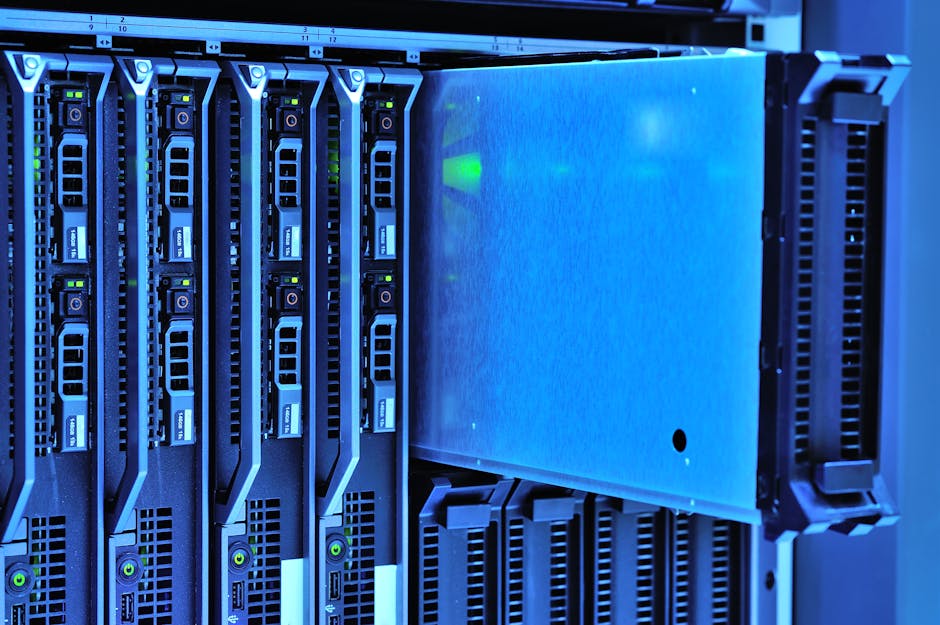
No moving parts, no mechanical seek time, no spinning-disk bottleneck
HDD hosting's spinning platter and physical read/write head add mechanical seek time to every random request and introduce a real risk of mechanical failure - both problems flash-based SSD storage simply doesn't have.
Hosting Cheap runs pure NVMe SSD storage, a further step beyond basic SATA SSD, across every hosting tier rather than legacy spinning disks.
- No physical read/write head or spinning platter to wait on
- Random-access latency a fraction of typical HDD seek time
- No mechanical wear-and-failure risk from moving parts
- Pure NVMe SSD storage across web hosting, WordPress, and VPS tiers
Why Hosting Cheap
What you get
No mechanical seek time
SSD storage reaches any location in flash memory without waiting on a physical head to move.
Faster database response
The small, scattered reads a website generates complete far faster without HDD seek delay.
Quicker boot and recovery
Server restarts and maintenance recovery move faster without disk-head seek time.
No moving parts to fail
Flash memory removes the bearing wear and head-crash risks specific to spinning disks.
Backups either way
Daily backups protect data regardless of storage type, covering any long-term flash wear too.
A step beyond basic SSD
Pure NVMe storage goes further than standard SATA SSD, which itself already outperforms HDD.
How It Works
Up and running in a handful of steps
Check what storage you're actually on
Confirm whether an existing host still runs HDD or SATA SSD under a live site.
Move to SSD-backed hosting
Use free managed migration to transfer a site off spinning-disk hosting without downtime.
Confirm the speed difference
Compare page load and database response time during the 30-day money-back guarantee.
Included
The same essentials, included on every plan
- Confirm whether a hosting plan still runs HDD storage under any tier
- Check random-access performance, not just advertised storage capacity
- Ask what happens to data if a mechanical drive fails without warning
- Verify daily backups run regardless of the underlying storage type
- Compare database-heavy page load times, not just static file downloads
- Confirm free managed migration is available to move off HDD-backed hosting
- Check that SSD storage is standard across tiers, not a paid upgrade
- Use the 30-day money-back guarantee to confirm real speed gains firsthand
FAQ
Frequently asked questions
Why is HDD hosting so much slower than SSD hosting?
A hard drive has to physically move a read/write head to the correct location on a spinning platter before completing each request, adding several milliseconds of seek time to every random read or write. SSD storage has no moving parts, so it reaches any location in a fraction of that time.
Does the SSD vs HDD gap matter for a small website?
Yes - even a modest site issues many small database reads per page load, and each one pays HDD's mechanical seek time individually. The gap compounds with every plugin, page element, and concurrent visitor.
Are hard drives more likely to fail than SSDs?
HDDs have physical moving parts - a spinning platter and a read/write head - that wear down over time and can fail mechanically. SSD storage has no moving parts, removing that specific failure risk, though backups still matter for any storage type.
Is HDD hosting still used anywhere?
It's largely disappeared from live website hosting because SSD prices have fallen enough to remove the cost justification. HDD storage mostly survives now in cold storage or archival use cases where speed isn't a priority.
What's the difference between basic SSD and the NVMe SSD storage Hosting Cheap uses?
Both have no moving parts, but NVMe connects over the PCIe bus rather than the older SATA interface, supporting far more simultaneous read and write operations than a standard SATA SSD.
Can I move an existing site off HDD-backed hosting without downtime?
Yes, free managed migration transfers a site's files, database, and configuration onto SSD-backed hosting without a manual rebuild.
Move off spinning disks onto real SSD-backed hosting
Pure NVMe SSD storage, free managed migration, and a 30-day guarantee to confirm the difference.
View Web Hosting plans